
Bag and sack counting on conveyor loading lines
CamContador counts bags on conveyor lines with 99.9% accuracy using your existing cameras. The system can also connect to the conveyor and stop it automatically at the target quantity. Not one bag more or less.
Built for these industries
Sugar, flour, grains, and dry food producers
Counting finished bags before truck or railcar loading — every order fulfilled to the exact quantity.
FMCG and dry construction mix producers
Tracking output by shift with accurate loading records for every order.
Logistics terminals and distribution centres
Each shipment logged and linked to a specific order or customer — ready for ERP export.
Any facility where bags move on a conveyor and quantities matter.
Why optical sensors fail — and what works instead
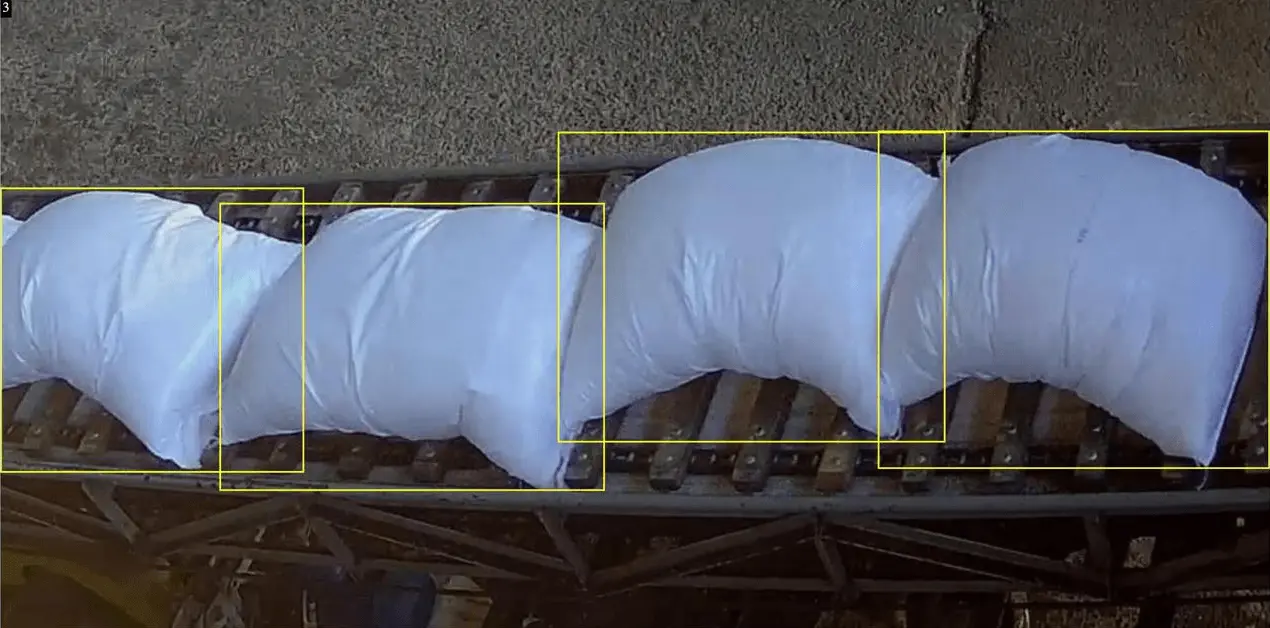
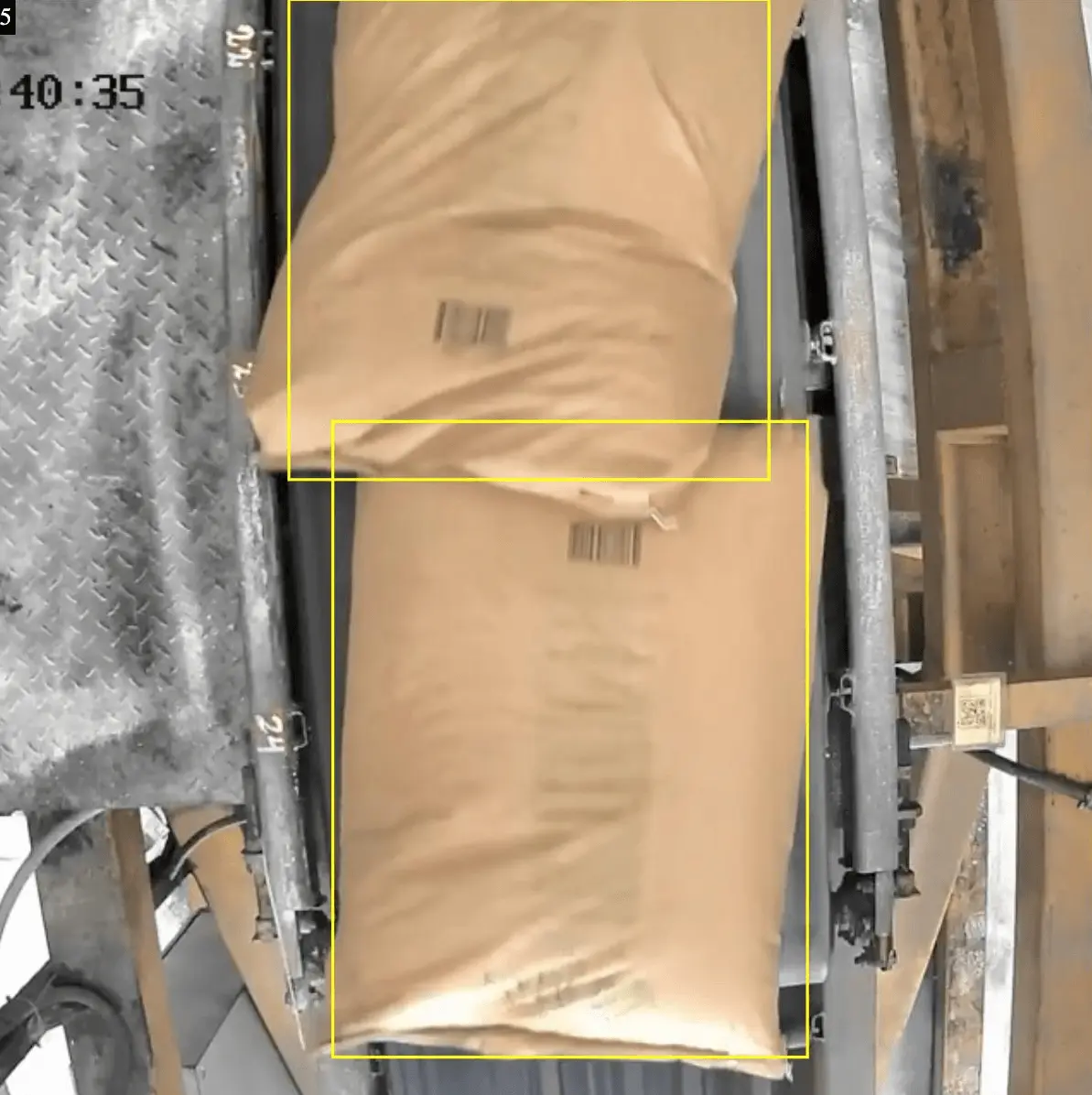
Optical sensors count signal interruptions — when bags overlap or travel close together, they register as one. Computer vision detects the shape and edges of each bag individually. Dust, conveyor vibrations, and changes in workshop lighting don’t affect it.
| Optical sensor | CamContador |
|---|---|
| Counts signal interruptions — misses bags that overlap or travel close together | Detects the shape and edges of each bag individually — overlapping bags counted correctly |
| Crumpled or deformed packaging triggers false readings | Counts each bag regardless of how it looks or how it’s positioned on the belt |
| Conveyor vibrations knock sensors out of alignment — causing miscounts | Not affected by conveyor vibrations or changes in workshop lighting |
| Requires physical installation on the conveyor line | Connects to your existing IP cameras — nothing installed on the line |
How it works
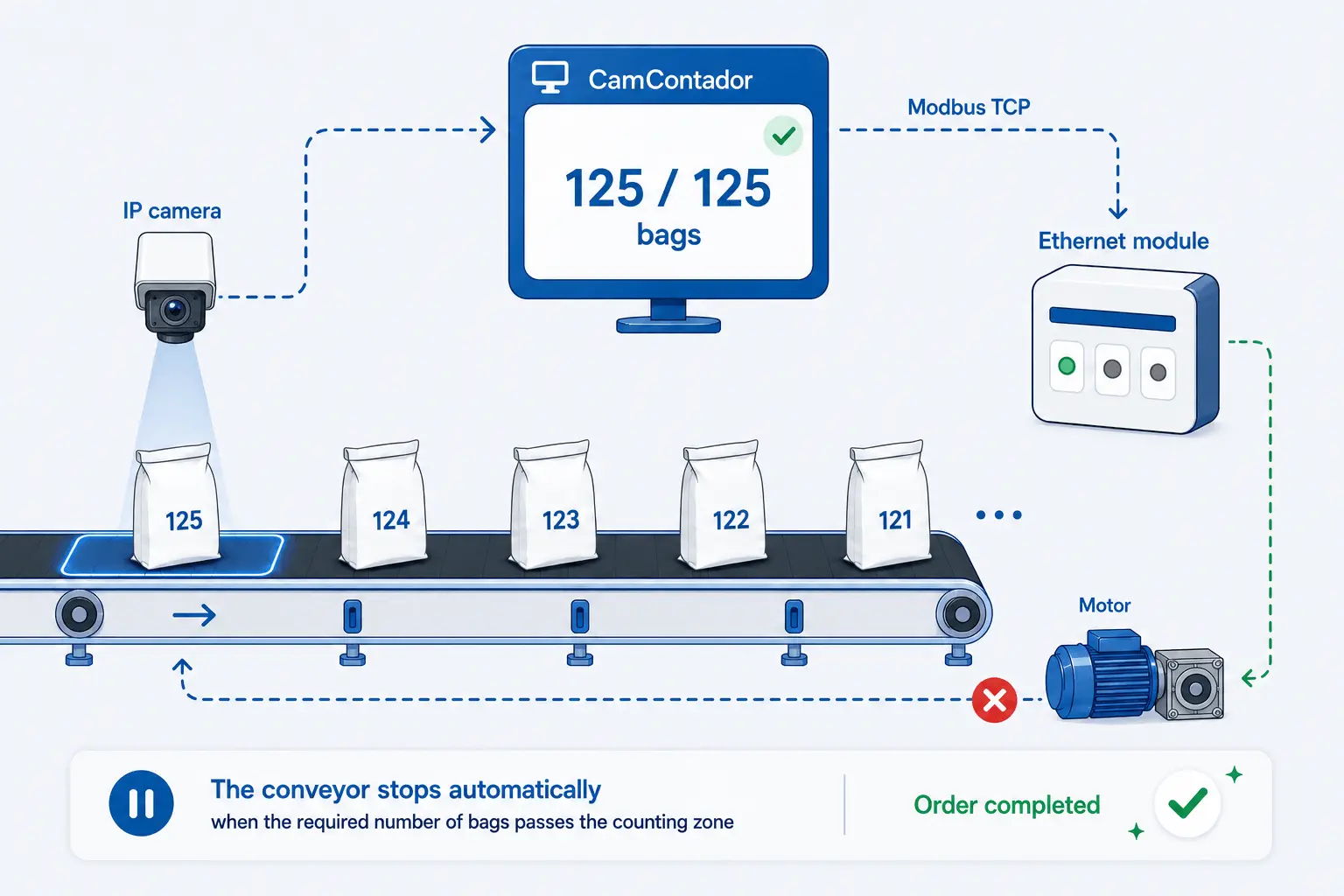
Your existing camera
Connects to the existing video feed. Works with the cameras already on your line.
Virtual counting zone
A detection area is defined in the frame — configured for the specific flow and position of your line.
Object tracking
Each bag gets a unique ID and is counted once as it passes through the zone.
Return detection
Automatically detects bags that return through the counting zone and excludes them from the final count. Prevents overcounting and keeps order quantities accurate.
Exact quantity on every order
Each loading session is logged with the order number, quantity, and timestamp. If conveyor integration is set up, the line stops automatically when the target is reached.
Automatic conveyor stop
Before loading, the operator enters the order quantity and packaging type — bags or bales. They press Start and watch. When the specified number has passed through the counting zone, the conveyor stops.
Each loading session is tied to a specific order or customer. The stop signal goes from the software directly to the conveyor control circuit. The exact integration depends on the equipment at the facility — we work it out with your technical team before deployment.
What changes in the workflow
The production line runs as before. The operator’s role changes — instead of counting manually, they oversee the process while the system counts and logs everything automatically.
What to know before deployment
01
Works with different packaging formats
Standard bags, small packs, and bales are all counted correctly. When needed, the system distinguishes between packaging types and counts each separately.
02
Setup takes 2 days
The system is configured for your specific line and ready in 2 days. From the first shift, every bag on the line is counted and logged automatically.
03
Conveyor integration takes longer
Connecting the counter to the conveyor for automatic stop takes up to two weeks — most of that time goes to equipment configuration on your side.
04
What happens after launch
After the system goes live, we monitor the first results together with you. If any discrepancies appear, we look into them jointly and work out what needs to be adjusted.
Cases
Common questions
If a person can tell these are two separate bags, CamContador counts them correctly — it detects each bag by shape, just like a human eye would. Optical sensors don’t work this way: they count signal interruptions, so overlapping bags register as one.
We configure the counting zone to cover the full range of possible bag movement on the belt. Every bag is counted regardless of where the vehicle is parked. No recalibration needed between loadings.
We check this during the pre-test using footage from your actual line. If the current camera framerate is sufficient — we proceed. If a faster camera is needed — we tell you before any contract is signed.
Yes. Each shipment is logged and linked to an order number or customer. Data exports as PDF or Excel for any period, and integrates with ERP systems via REST API.
Pricing
Annual license: 200 € per camera. Lifetime license: 800 € per camera.
One-time setup fee: 200 €, regardless of camera count.
Counting setup: 2 days. Conveyor integration with automatic stop: up to two weeks.