
AI-Powered Real-Time Can Counting: Computer Vision Case Study
From 126 cans in a row to 1,012 on a pallet — discover how CamContador automates high-speed production tracking with 100% accuracy. No more manual errors, just precise real-time data for your industrial line.
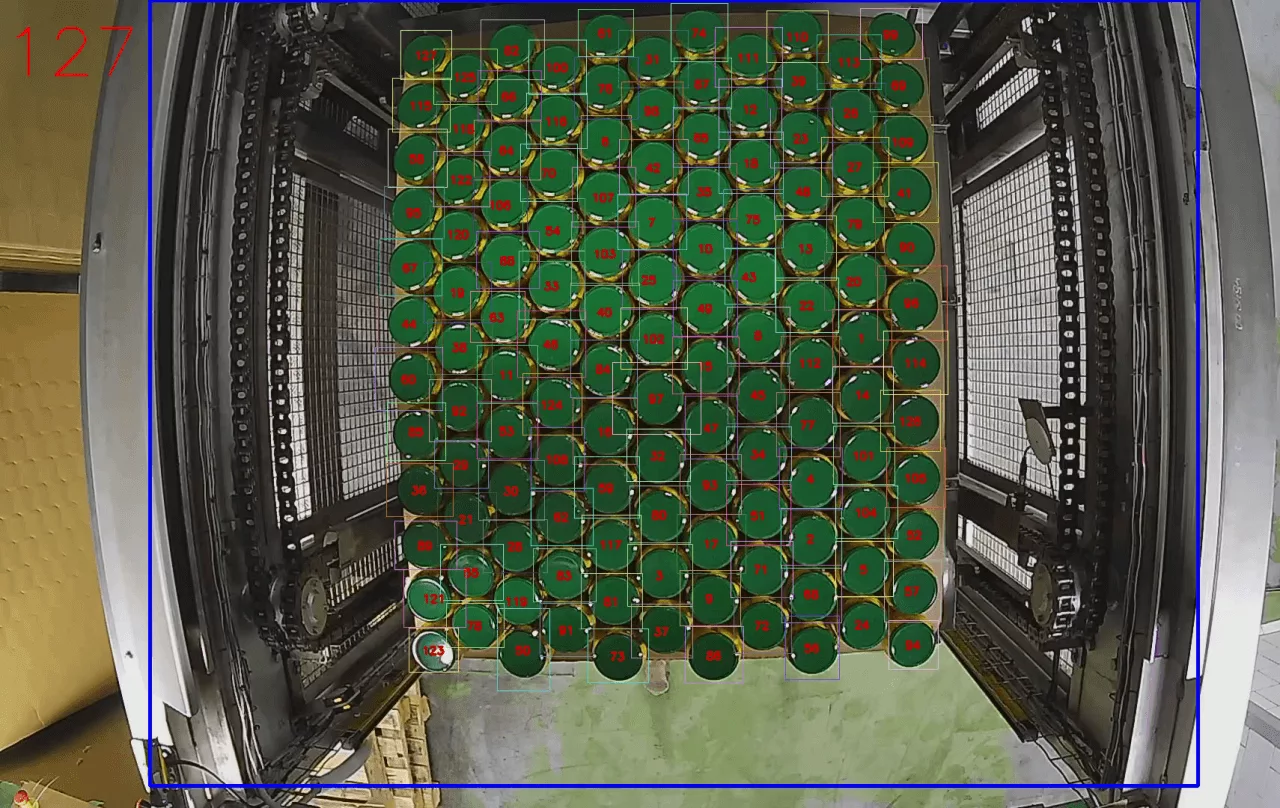
Summary
Client. A manufacturer of canned vegetables, mushrooms and olives. The company produces 70 million cans per year. Its products are sold in major supermarkets.
Task. Implement automatic counting of cans on pallets using video cameras.
Result. The CamContador video counter helps operators monitor the number of cans on pallets and reduces the error rate during packaging.
Situation
Product packaging at the production facility is automated. The machine brings the cans to the pallet and places them in several rows. But sometimes the machine’s magnetic head fails to pick up one or two cans. For example, the iron lid did not have time to magnetise, and the whole row moved away, leaving the can behind. Then there are fewer cans on the pallet than there should be. If the operator does not notice the empty space in time, the row is covered with cardboard, the next layers are added on top, and the packed pallet is sent to supermarkets. The shortage is discovered when the goods are received at the store.
To solve this problem, operators visually monitor the filling of each layer. If the positioning is off or there are not enough cans, they turn off the machine and manually adjust the row of cans. However, it is still difficult for a person to keep track of thousands of cans, and such control does not solve the problem completely.
Challenge
The customer approached us to automate the counting of cans on pallets using video cameras. Video counting should simplify the work of operators in production and help to more accurately control the quantity of products in each row.
Solution
Before starting the project, we asked the customer to send us a video from their production facility. This is a standard step: to set up the counter and show the customer the test result, we need a real 30-second recording. However, after receiving the video, we had doubts about whether we would be able to complete the task.
Usually, our algorithm operates within a specific counting zone on the conveyor belt. The video camera tracks each object within this zone from the moment it enters until the moment it leaves. However, the customer does not have this type of movement — the cans arrive from above and remain in place. We were not sure whether the algorithm would be able to work with static objects.
Javi Martínez, Project Manager
See also: Recognition of Upside-Down Cans with Conveyor Line Stop
Test counting before project launch
The test video helped us confirm that our solution would work. We made markings based on the recording and trained the neural network. When the banks in the video were counted correctly and without errors, we demonstrated the result to the client.
The customer saw the actual product count. After reviewing the test sample, the customer understood what the final result would be.
We provide all this preparation free of charge, prior to signing the contract.
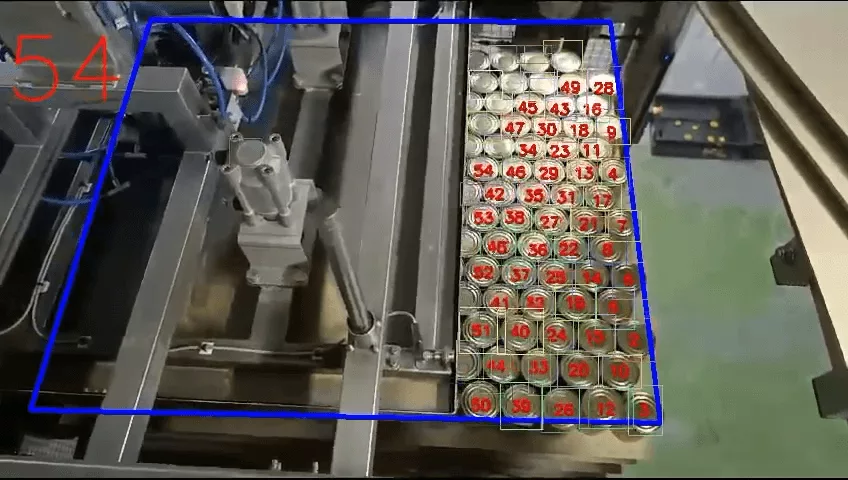
Implementation of a video counter and neural network training
The installation of the video counter took place in several stages. The customer installed cameras above the counting area and recorded videos of the movement of products. We took frames from the video, marked them, and trained the neural network to recognise cans.
Marking objects is a laborious, tedious and boring task. But at the same time, it is the most important one, because thanks to it, the system has learned to distinguish pallets from cans.
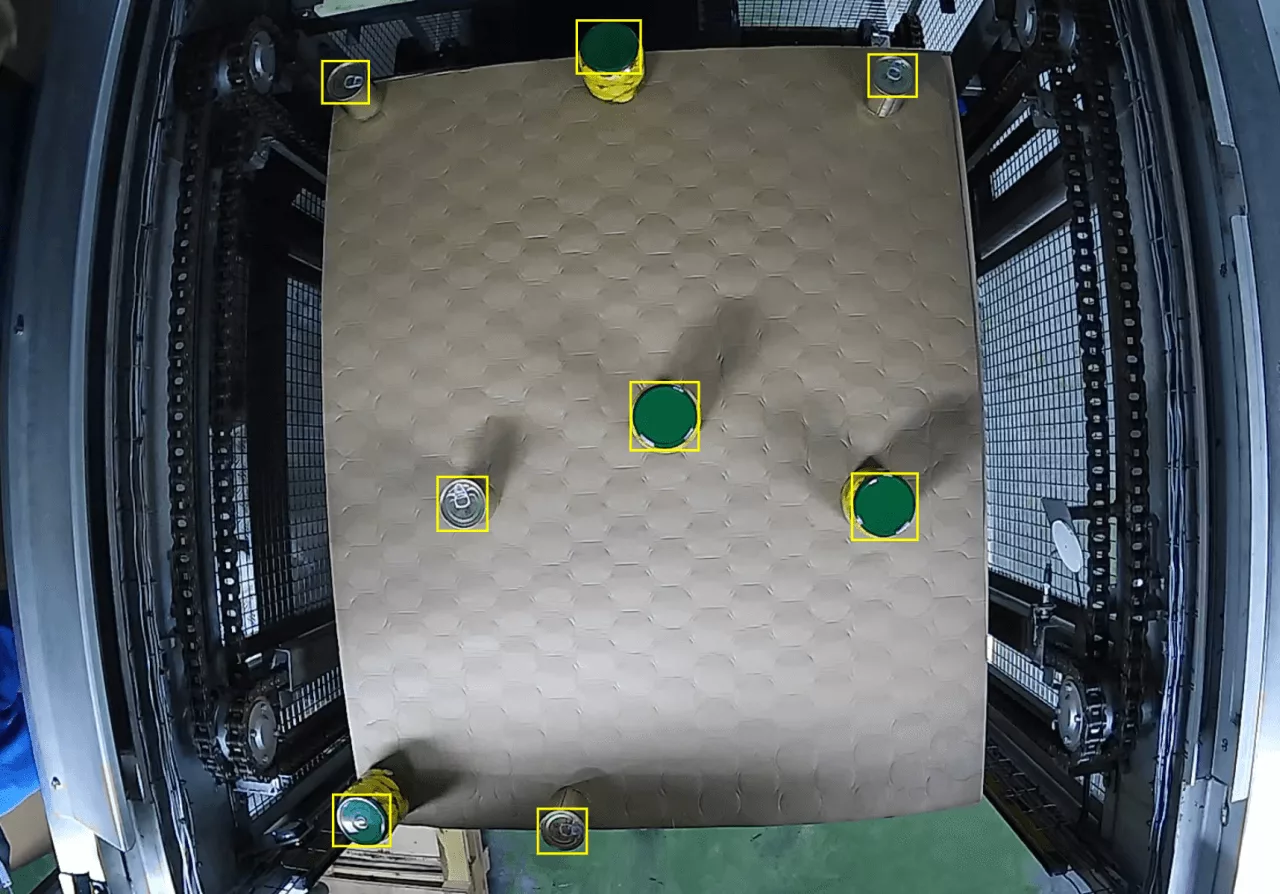
We carefully framed each jar in the frame so that only one lid would fit in it and no neighbouring jars would be included. Otherwise, it would have been poor data for training the algorithm.
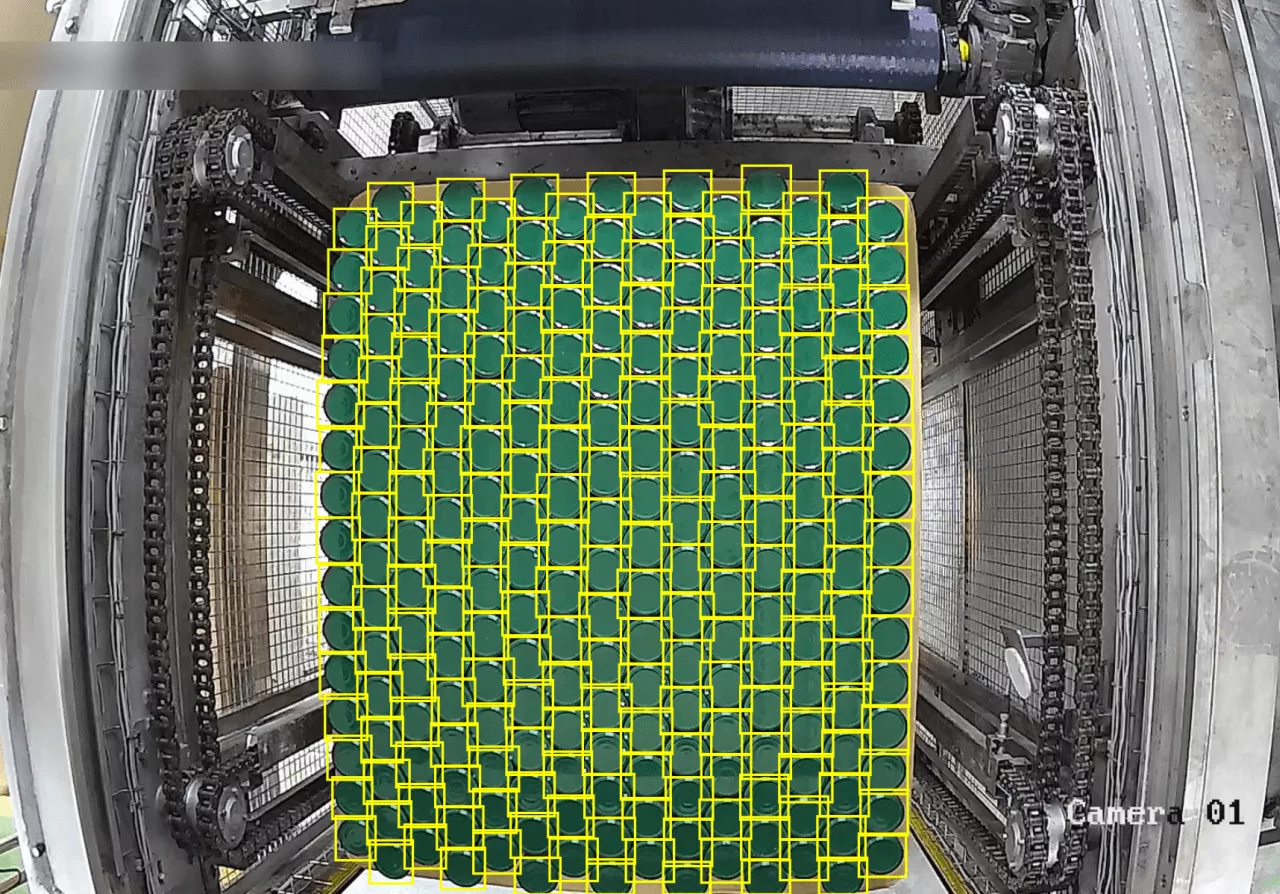
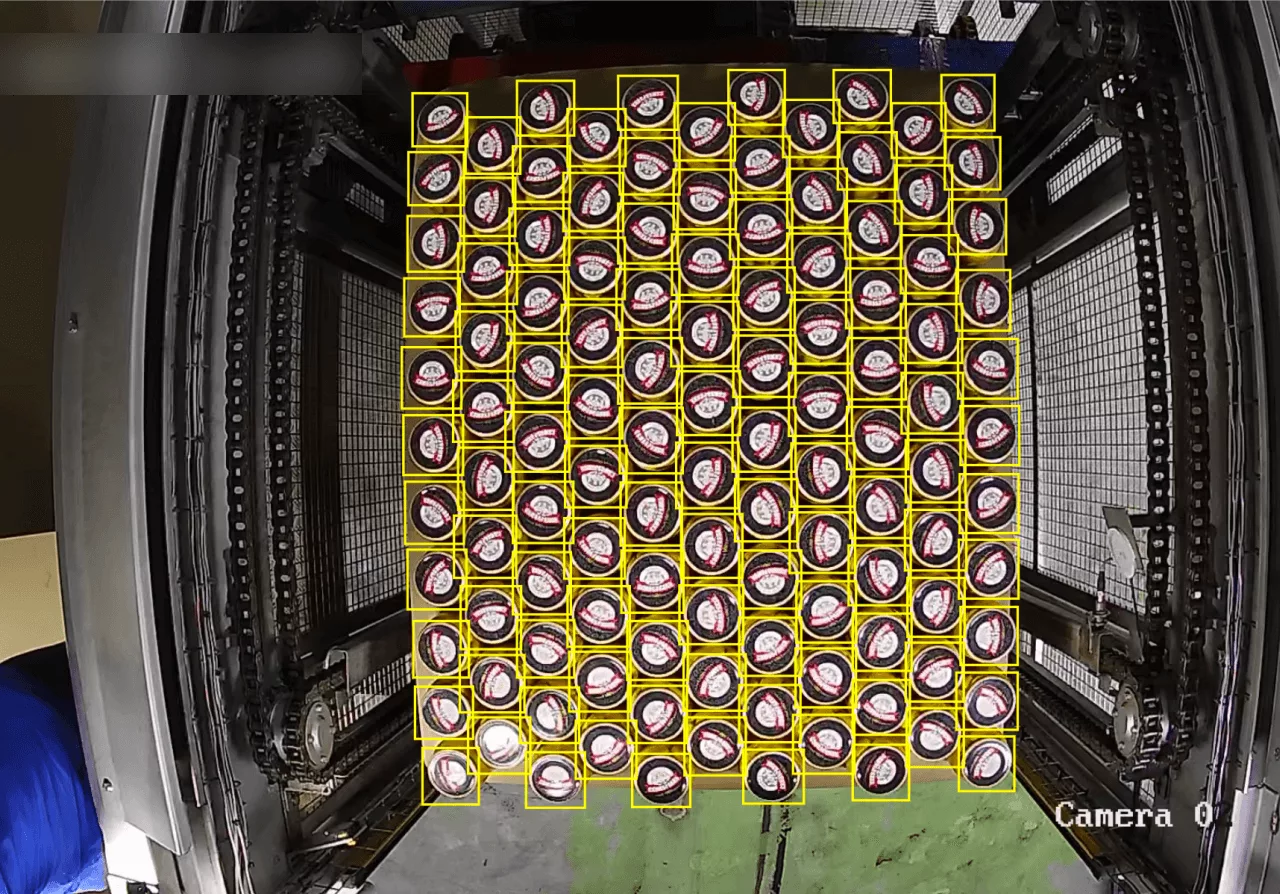
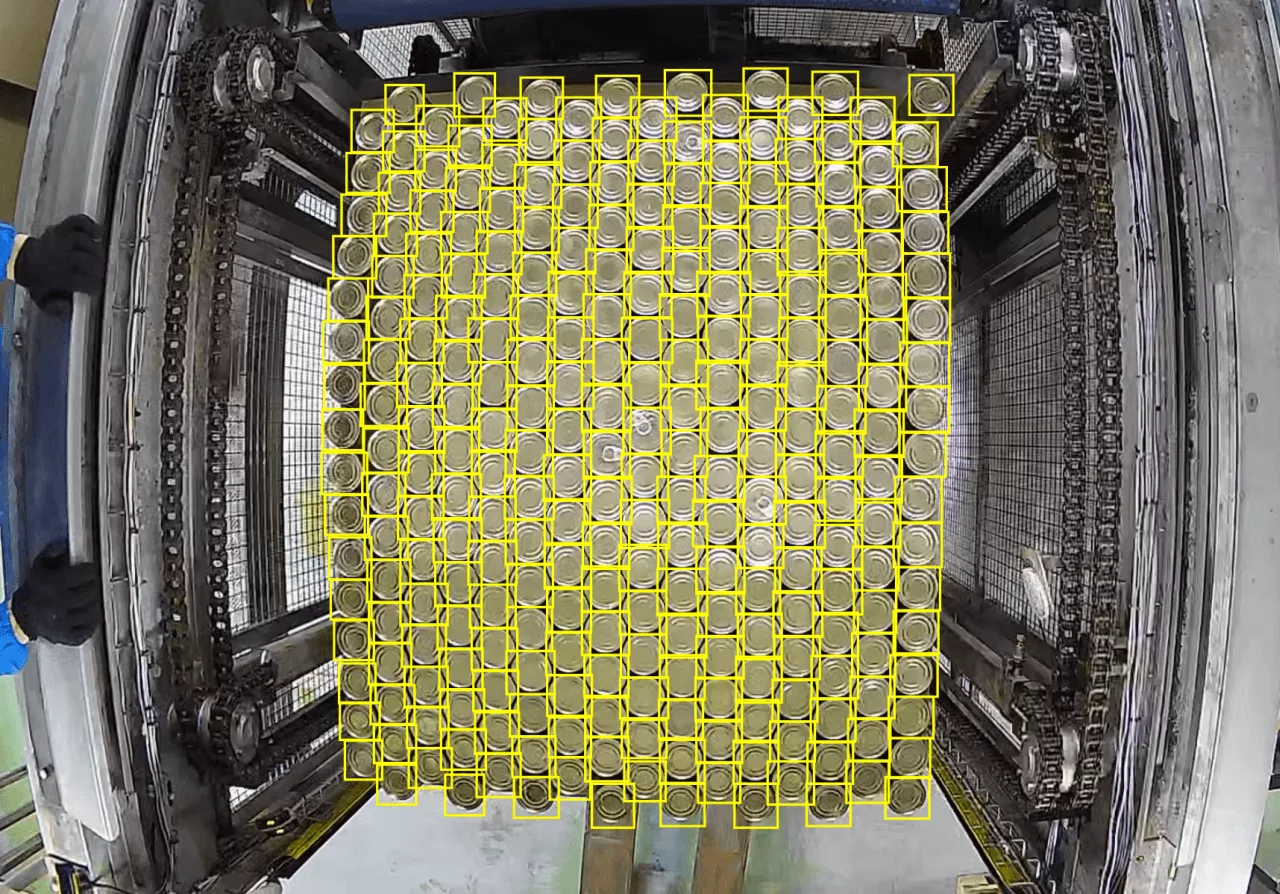
Each frame was assigned the class “Can” and checked to see how the products were counted. When everything was ready, the programme was uploaded to the customer’s server. After that, the customer began to independently track errors in the calculations and send them to us for correction.
Unforeseen difficulties
In addition to the stationary cans in the frame, there were other surprises on the project.
Resetting the counter
Companies typically implement video counters to monitor and record production output. The algorithm impartially keeps statistics, for example, how many eggs or loaves of bread were produced during a shift, month or year. However, our customer needed to count products for a different purpose.
The pallet is filled with cans in about 10 minutes. There are 126 or 127 cans in one row, depending on the layer. There are 8 layers on the pallet and 1012 cans in total. The number of cans must be counted in each row. When the pallet is filled and leaves, the counter must be reset to zero. The customer does not need historical data on the products counted last month. They need to start counting again every 10 minutes.
Usually, a QR code is used for this task. An employee shows an A4 sheet with the code to the camera, and the counter is reset.
It took about a week to implement QR codes into the workflow. The customer sent videos, we tested the counts and adjusted the reset. Operators stuck a sheet with the code onto cardboard and showed it to the camera after each pallet was filled.
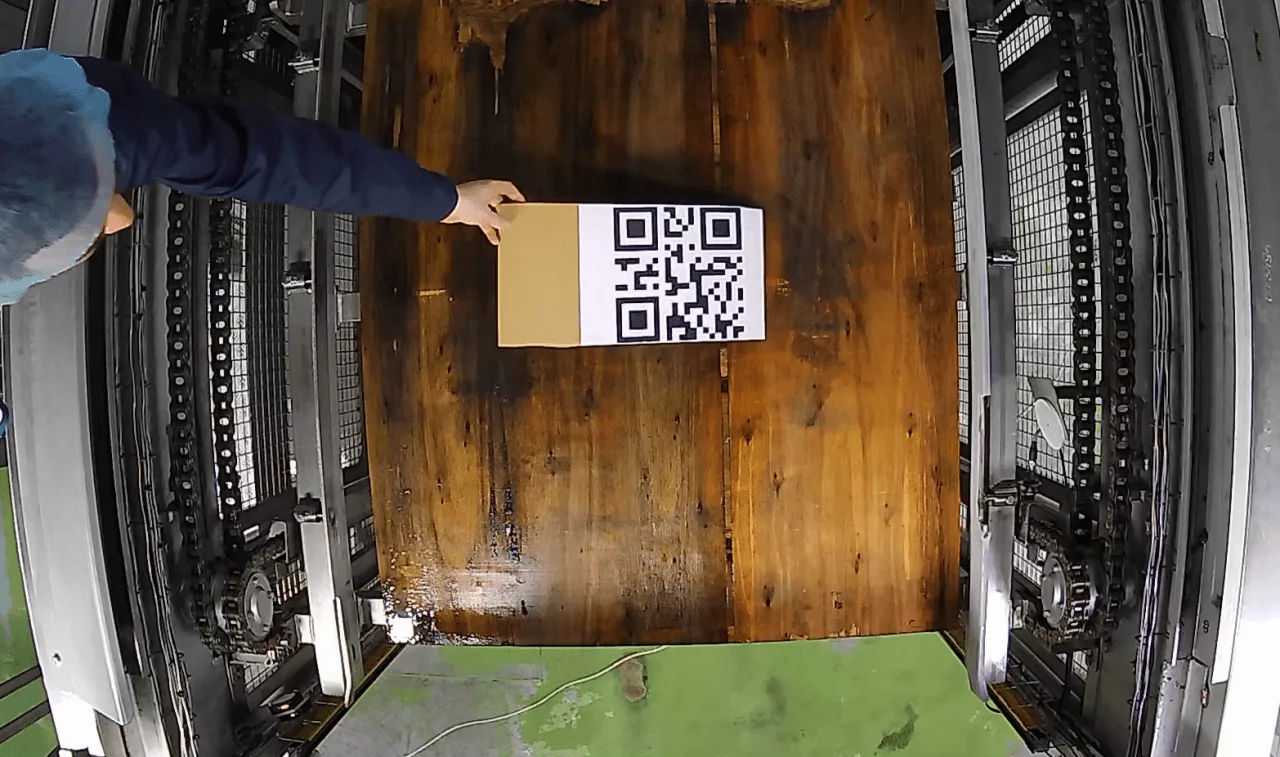
However, the solution proved to be extremely inconvenient:
— Operators are already very busy, so they may simply forget about the cardboard.
— The code must be manually placed in the area where heavy machinery is operating — this poses safety risks.
Overall, the cardboard box with the code seemed unnecessary in production.
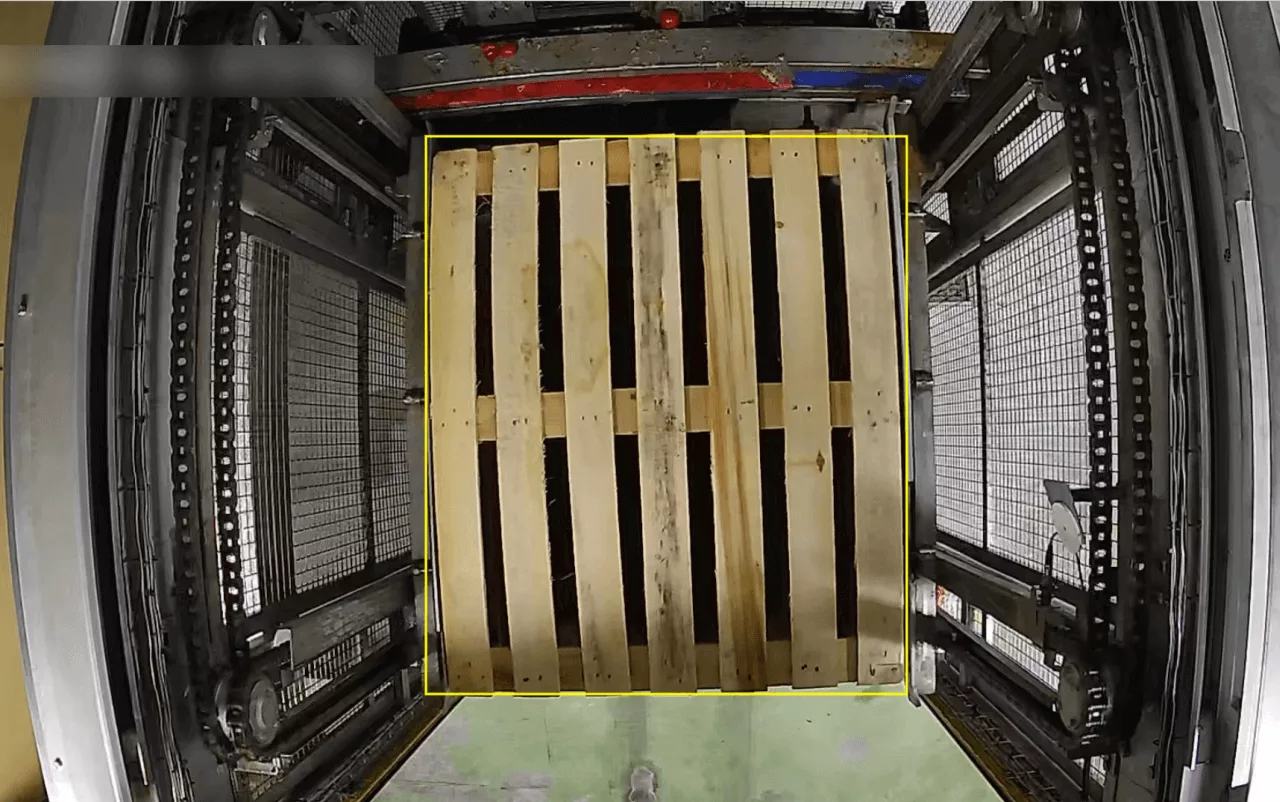
So we took a different approach. We added a “Pallet” class to the “Can” class in the CamContador algorithm and taught it to identify empty pallets. As a result, QR codes became unnecessary. Now, as soon as a new pallet appears in the frame, the algorithm recognises it and resets the counter.
False positives
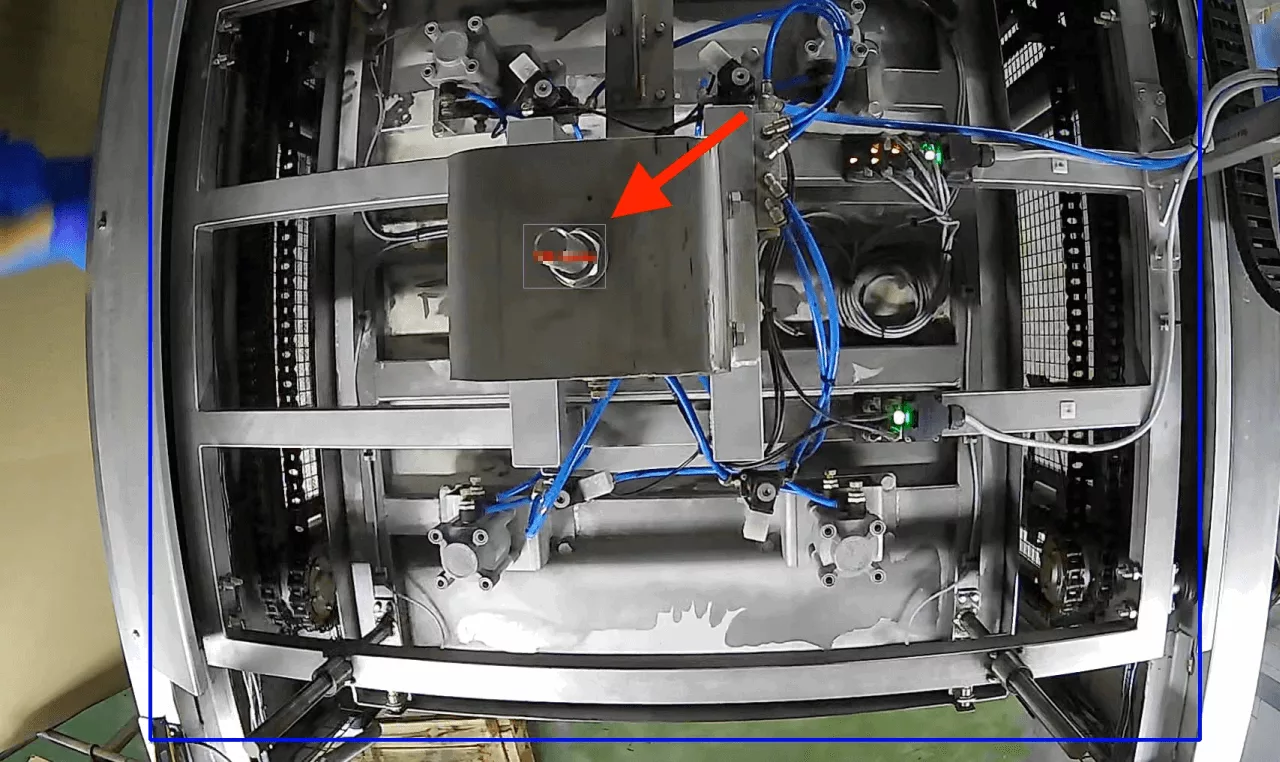
After starting the counter in production, the customer encountered false positives. The cause turned out to be the machine that brings the cans to the pallet.
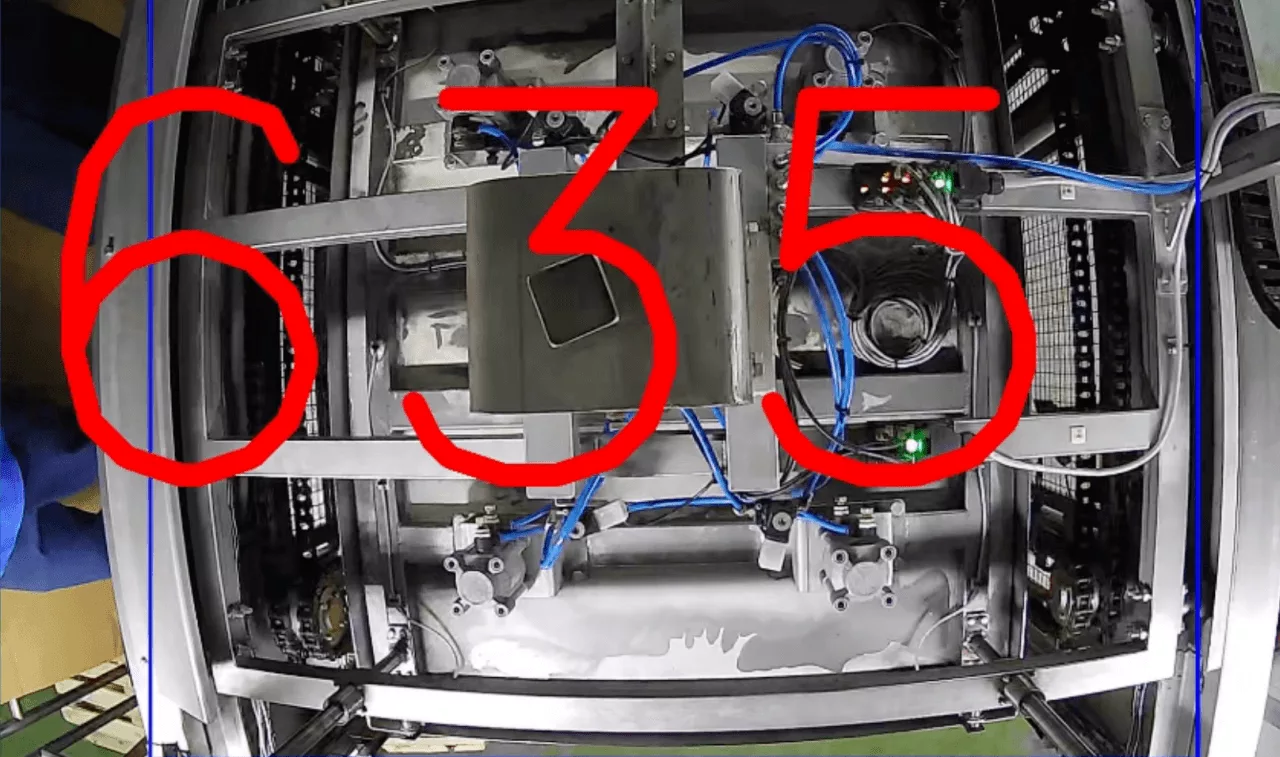
The magnetic plate carrying the cans is secured at the top with thick round bolts. When it enters the counting area, the camera mistakes these bolts for cans that need to be counted.
The problem was solved in an unconventional way. To prevent the fasteners from looking like cans from above, the customer’s employees covered them with square caps. As a result, the algorithm stopped seeing the bolts and making mistakes.
Treacherous corrugated cardboard
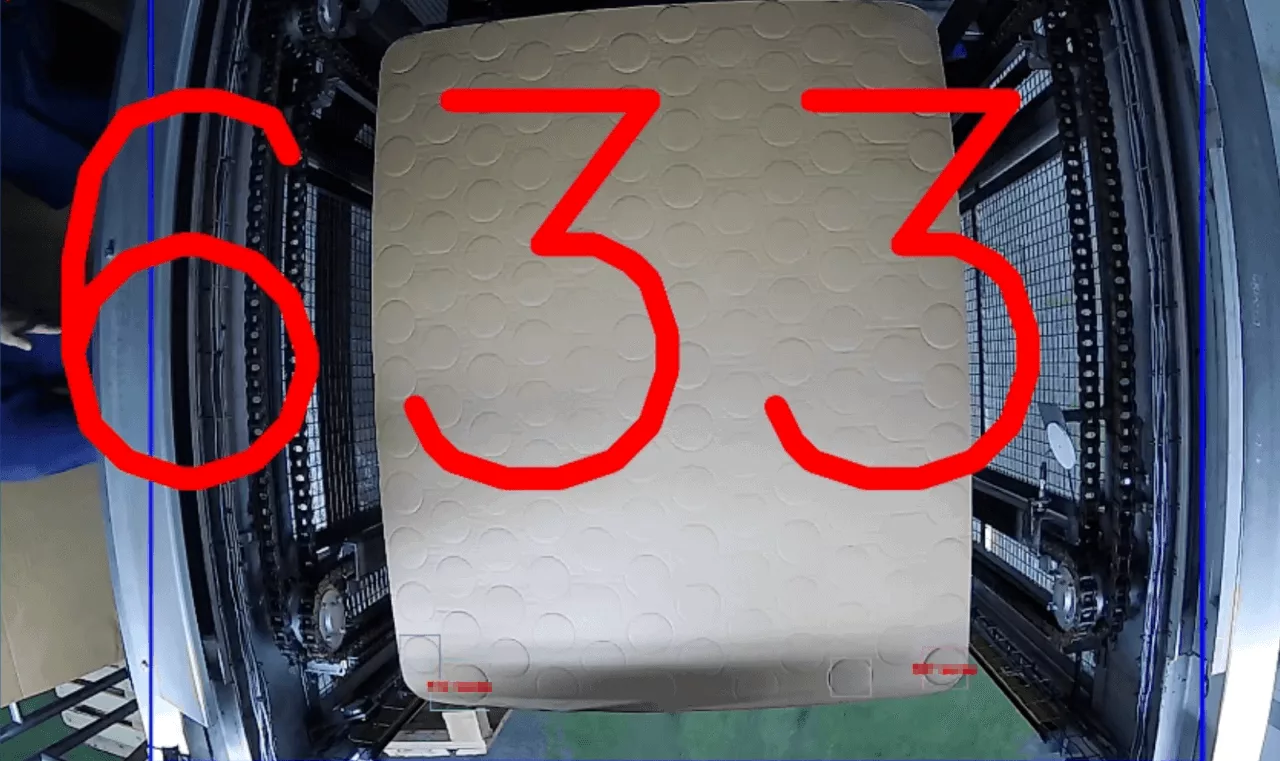
Each row of cans on the pallet is covered with a cardboard layer on top. This is necessary for safe transport: an additional layer of support reduces the risk of mechanical damage to the products. Sometimes corrugated cardboard is used several times, in which case traces of the previous batch of products remain on it.
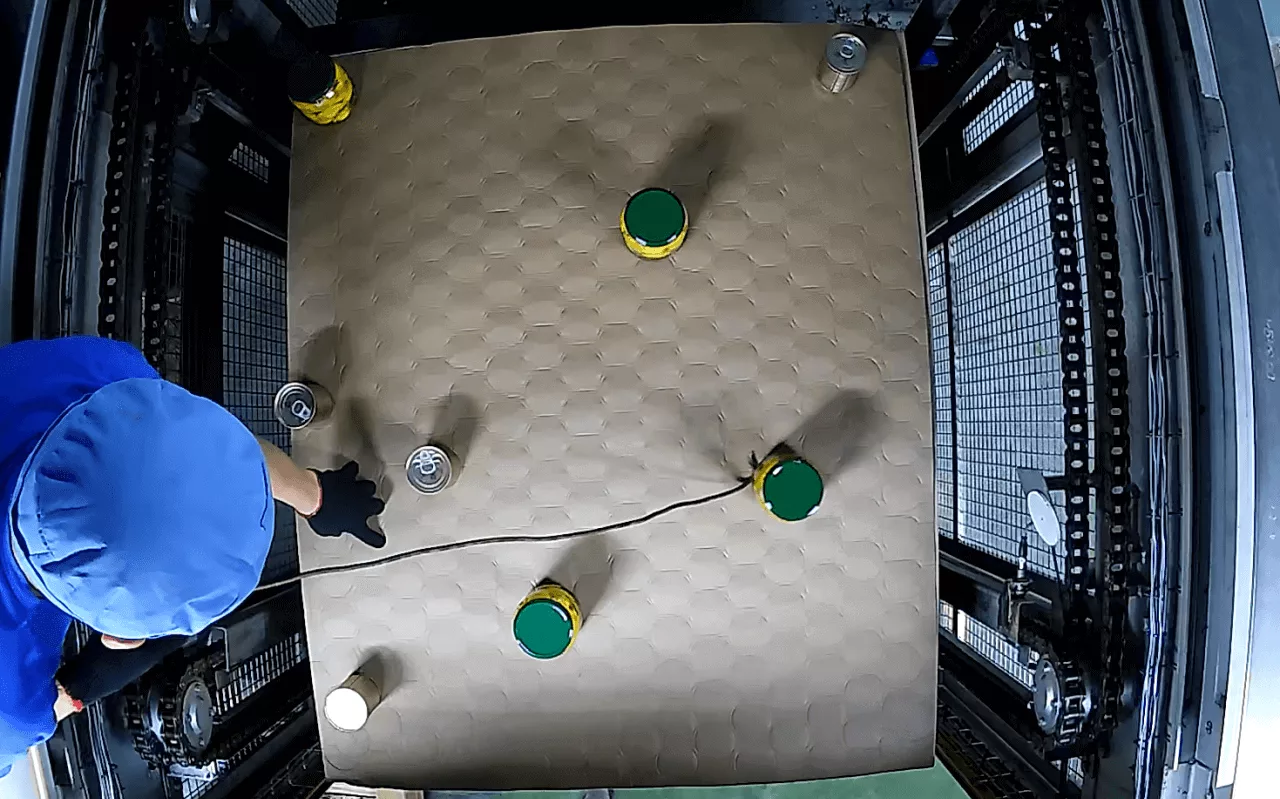
The camera installed above the machine sometimes mistook round prints on cardboard for real cans and counted them as well. To eliminate these errors, the neural network had to be taught to distinguish between marks and real cans.
Together with the customer’s employee, we recorded special staged videos. The employee placed the cans on cardboard in different places, moved them left and right with a stick, and we took screenshots and additionally trained the algorithm.
Results
The CamContador video counter helped operators see incomplete rows of cans and reduce errors during packaging.
Team. The project was implemented by two people: an IT specialist on the customer’s side and a CamContador engineer.
Duration. The project took one month — from the first contact with the customer to the implementation of the video counter in production.
A month is a long time. Usually, production counters are launched in just two days. For typical products, such as eggs, there is no need to make new markings — previously trained counters are suitable.
However, this project was unusual. It took a lot of time to mark out, experiment with QR codes and resolve unforeseen difficulties. Based on the experience we gained, we would be able to do it faster today: in one to two weeks.
Javi Martínez, Project Manager